Hellstar Coupon Not Working? Check Eligible Items
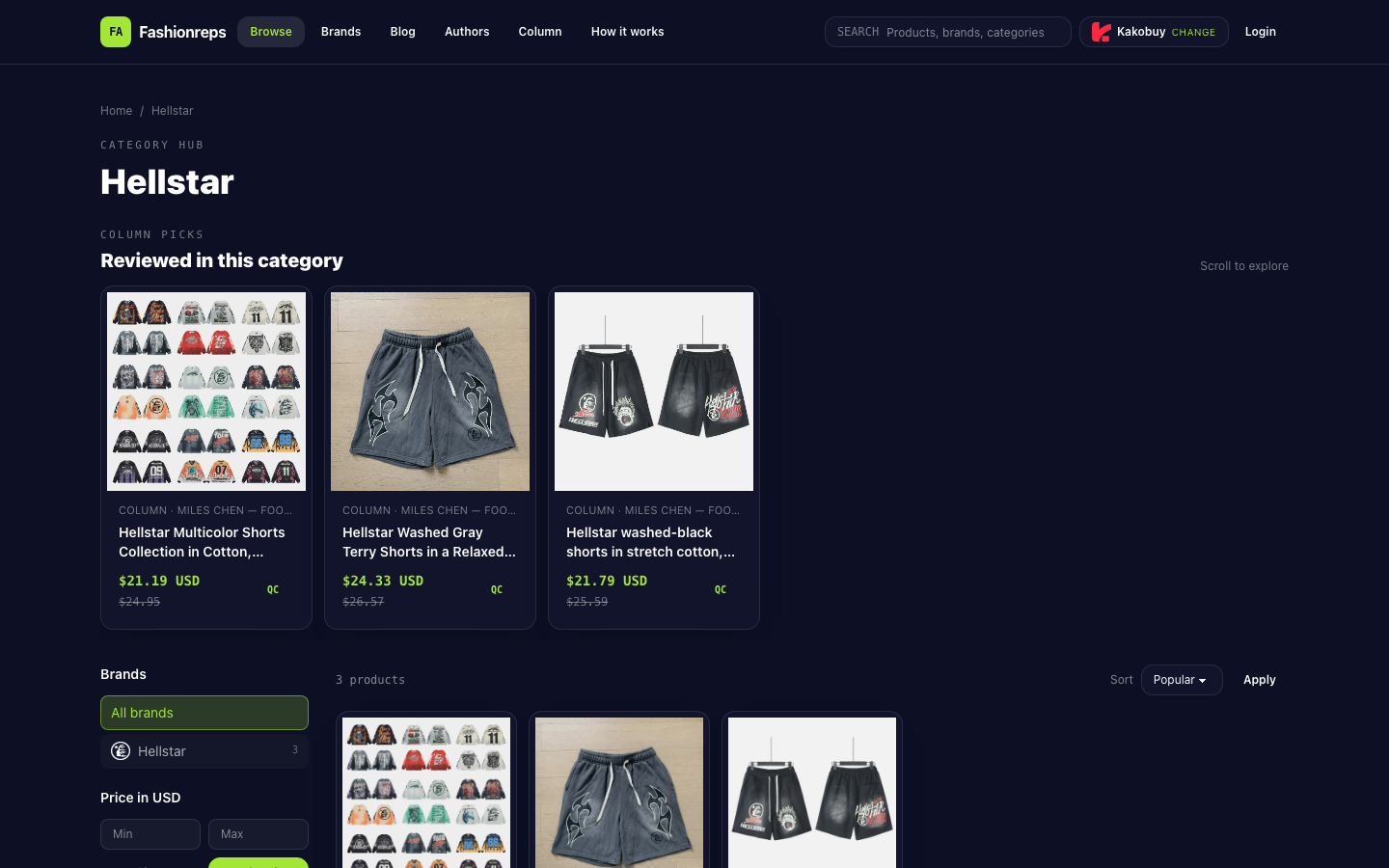
Seeing a price on the Hellstar category page on Fashionreps does not mean the discount has been applied to your order. The page currently displays 3 Hellstar items with reference prices, such as $21.19 for multicolor shorts, $24.33 for grey terry shorts, and $21.79 for black wa
Marcus LindqvistMarcus Lindqvist is the site's Editor in Chief, approving every order sheet and writing most of its shipping-line comparisons. His coverage includes agent fee structures, freight-line selection, customs and duty information, and QC photo checks. He approves the order sheet before checkout, then records checkout-to-warehouse, QC photo turnaround and line-handover times to the hour. He weighs and measures every parcel before opening it, films the unboxing on a fixed tripod, and checks fee and duty calculations against the actual invoice two weeks after arrival.
Editor score 4.2 / 5
Insight

Seeing a price on the Hellstar category page on Fashionreps does not mean the discount has been applied to your order. The page currently displays 3 Hellstar items with reference prices, such as $21.19 for multicolor shorts, $24.33 for grey terry shorts, and $21.79 for black washed shorts; these numbers should only be treated as product reference information on the page and cannot be directly inferred as discounted prices, final payment amounts, or stackable discounts.
If you have already tried the coupon entry but no reduction shows at checkout, the safest approach is to pause payment, save the anomaly record, and then confirm which product, which shopping agent, and which order conditions the coupon actually applies to.
Save Product and Order Evidence First
Before proceeding, record the following information:
- Hellstar product name or product page screenshot
- Color, size, and quantity
- Current price shown on the product page
- Selected shopping agent
- Coupon entry, coupon name, or promotion page
- Checkout amount before and after entering the coupon
- Query time and page status
Fashionreps provides a shopping agent selection entry and notes that orders, payments, and shipping are handled by external agent websites. Therefore, the product display on the Fashionreps category page, the coupon rules on the agent site, and the final checkout amount cannot be treated as information on the same level. When discrepancies occur, the amount actually confirmed on the current agent site's checkout page should prevail.
Troubleshoot Coupon Not Working in Order
1. Confirm Whether the Coupon Entry Matches the Current Order
First check where the coupon comes from: product page, shopping agent promotion page, cart prompt, checkout input box, or external promotion page. Different entries may correspond to different product ranges, usage periods, or order processes.
If the coupon is only displayed on a specific agent site, do not assume it applies to other agents. The Fashionreps page lists multiple selectable agents, but the page itself does not provide a universal coupon code, uniform threshold, or uniform discount promise for the current Hellstar items.
2. Verify Product Identity and Variant
The coupon may only apply to specific products, not the entire Hellstar category. Check one by one:
- Whether the product name matches exactly
- Whether the color and size are still within the promotion scope
- Whether the quantity exceeds or falls below the limit
- Whether you have mistakenly added a similar style, different link, or different seller to the cart
- Whether the current product can still proceed normally to the external agent's checkout process
The product names and reference prices shown on the category page can help you confirm product identity, but they cannot prove that a certain color, size, or variant meets coupon conditions.
3. Look for Minimum Spend and Exclusions
In the agent site's coupon description or checkout notice, look carefully for minimum spend, applicable categories, specified products, first-time order restrictions, region restrictions, payment method restrictions, and excluded products.
Do not use the single-item reference price shown on the category page to calculate whether the threshold is met. The final threshold may be based on product subtotal, or may exclude shipping, service fees, or other charges. If the rules do not clearly state the calculation basis, you cannot confirm that the order meets the conditions.
4. Check Validity Period and Usage Limit
Record the start time, end time, remaining uses, and account restrictions shown for the coupon. The entry still being displayed does not mean the coupon is still valid; the same coupon may have already been used by the account, or may be limited to one use.
If the page does not clearly state the validity period, applicable account, or remaining uses, it is recommended to screenshot and confirm with the corresponding agent's customer service. Do not pay just because the button is still clickable.
5. Check Stacking Restrictions and Fee Changes
Sometimes the coupon not working is not an input error, but because the order already uses another promotion. Check for the following:
- Only one coupon can be used
- Product discount and order discount cannot be used simultaneously
- Coupon does not apply to shipping, service fees, or insurance fees
- The amount is recalculated after selecting a different shipping or payment method
- The coupon only shows before order submission, and the amount changes after submission
If the checkout page does not clearly show the discount amount, or if the total amount changes before and after submission, stop payment and save screenshots of both pages.
Use Checkout Page to Determine if It Actually Works
You can verify using the following record method; do not just look at whether the coupon button shows "claimed" or "available."
| Check Item | Content to Confirm | Action if Unable to Confirm |
|---|---|---|
| Product subtotal | Product, variant, and quantity match records | Return to cart and re-verify |
| Coupon name | Displayed coupon matches current order | Screenshot and ask agent customer service |
| Discount amount | Order shows a clear discount amount | Do not treat estimated amount as already reduced |
| Shipping and additional fees | Whether coupon excludes these fees | Wait for rules or customer service confirmation |
| Final amount due | Page shows final amount before payment | Pause payment if amount is unstable |
Only when product identity, coupon conditions, and final amount due all correspond on the current page can you consider proceeding with payment. The reference price on the product page cannot substitute for the final amount on the agent's checkout page.
When to Pause Payment Immediately
If any of the following occurs, it is recommended not to submit the order:
- Coupon rules do not specify applicable products or usage threshold
- No clear discount amount after entering the coupon
- Checkout amount differs from expectation and cannot be explained
- Color, size, or product link cannot be confirmed
- Prices shown on product page, cart, and checkout page are inconsistent
- Agent site requires payment first, then promises to refund the difference later
- Coupon requires jumping to an unverifiable page, or page status changes repeatedly
- You cannot save complete records of product, coupon, and final amount
In such cases, keep screenshots, product information, query time, and order draft status, and contact the current agent's customer service for confirmation. Do not repeatedly submit payment to test the coupon, and do not create orders repeatedly before confirming refund, price difference, or cancellation rules.
Conclusion
When the Hellstar coupon is not working, first confirm the product and variant, then confirm the coupon entry, threshold, exclusions, validity period, and stacking restrictions, and finally judge only by the discount and final amount clearly displayed on the agent's checkout page. The currently verifiable Fashionreps category data provides Hellstar product display, reference prices, QC entry, and shopping agent selection information, but does not provide a directly confirmable universal coupon code or current order discount rules. Therefore, as long as product identity or final amount due cannot be confirmed, you should pause payment and wait for a clear reply from the corresponding agent.