Rick Owens Sneaker Cost Check: Verify Price, Fees, Shipping
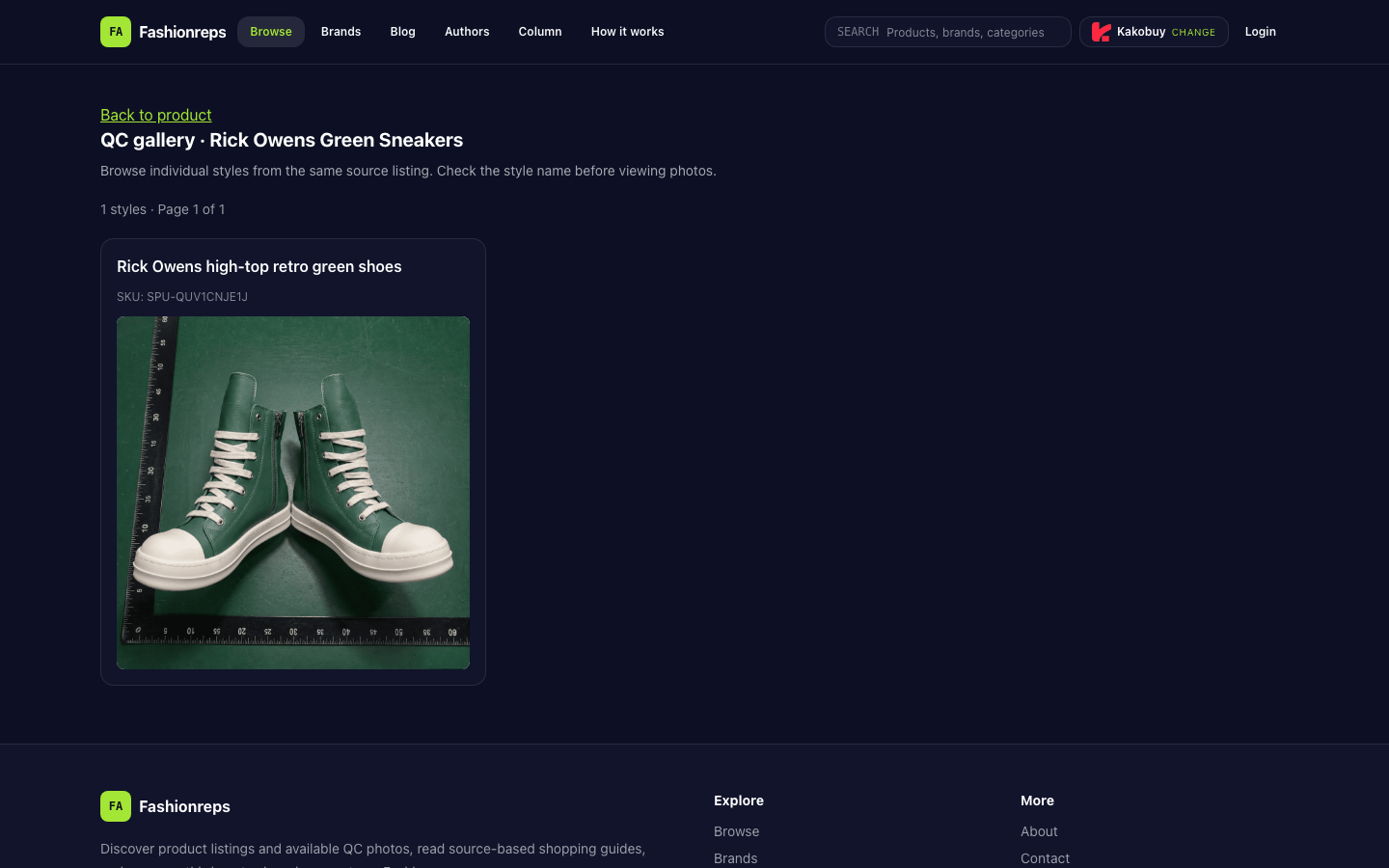
This Rick Owens sneaker can currently be verified for product identification and QC page information, but it is not a complete quote. The page shows the style as Rick Owens high-top retro green shoes, SKU SPU-QUV1CNJE1J, and the current QC page lists 1 style. The information does not provide item price, inventory, sizes, color options, service fees, packaging fees, payment fees, international shipping, or exchange rates, so it is not possible to calculate the tr
Marcus LindqvistMarcus Lindqvist is the site's Editor in Chief, approving every order sheet and writing most of its shipping-line comparisons. His coverage includes agent fee structures, freight-line selection, customs and duty information, and QC photo checks. He approves the order sheet before checkout, then records checkout-to-warehouse, QC photo turnaround and line-handover times to the hour. He weighs and measures every parcel before opening it, films the unboxing on a fixed tripod, and checks fee and duty calculations against the actual invoice two weeks after arrival.
Editor score 4.2 / 5
Insight
This Rick Owens sneaker can currently be verified for product identification and QC page information, but it is not a complete quote. The page shows the style as Rick Owens high-top retro green shoes, SKU SPU-QUV1CNJE1J, and the current QC page lists 1 style. The information does not provide item price, inventory, sizes, color options, service fees, packaging fees, payment fees, international shipping, or exchange rates, so it is not possible to calculate the true total purchase cost, nor can any estimated numbers be considered savings results.

First Confirm You're Checking the Same Style
After opening the QC page for Rick Owens Green Sneakers, check the following information for consistency:
- Whether the style name is still Rick Owens high-top retro green shoes.
- Whether the SKU is SPU-QUV1CNJE1J.
- Whether the page still shows corresponding QC photos instead of other styles from the same source.
- Whether the target size and color are clearly selectable on subsequent product pages or agent pages.
- Whether the item can still be added to cart or proceed to checkout.
The page indicates that the style name should be confirmed first, then view photos; current information only confirms 1 style. It does not prove that all sizes and colors are in stock, nor does it prove that the item corresponding to the QC photos is still available for purchase. Therefore, when there is a lack of inventory or specification evidence, payment should be paused; do not judge the ability to order based solely on photos.
Break Down Total Cost into Six Independent Fields
Do not just look at the unit price on the product page. Before payment, record the amounts on the checkout page in a table as follows:
| Cost Field | Evidence Needed | Can Current Information Fill Amount? |
|---|---|---|
| Item Price | Current unit price on product page or agent order page | No, amount not provided |
| Service Fee | Agent official fee description or order details | No, rate or amount not provided |
| Payment Fee | Additional fees listed on payment page for payment channels | No, conditions not provided |
| Packaging Fee | Official checkout page or warehouse service details | No, conditions not provided |
| International Shipping | Destination, package weight, route, and checkout page quote | No, data not provided |
| Exchange Rate Impact | Actual charge currency, conversion method, and credited amount | No, exchange rate or charge currency not provided |
Total cost should be based on the final actual charge, not simply multiplying the item price by an empirical ratio. Especially for international shipping, you usually need to know the destination, package weight, packaging method, and shipping route first; without confirming these conditions, you cannot give shipping cost or total price.
Complete Payment Evidence in Order
Step one, record the current amount on the product page, and also save size, color, inventory status, and SKU. If the page only has photos or QC information without a purchase price, mark the item price as pending verification.
Step two, go to the agent's order or fee page to look up service fees, payment fees, and packaging fees separately. Do not interpret the appearance of the agent's name on the platform page as confirmation of that agent's fee results. The Fashionreps page states that the purchase button leads to the selected external shopping agent; orders, payments, and shipping are handled by the agent's website. Actual fees must be based on the agent's current page and order details.
Step three, confirm the conditions for calculating international shipping. At minimum, save the destination, package weight, route, chargeable weight, packaging options, and quote validity. If you only see "shipping can be calculated" but no quote has been generated, you still cannot fill in the shipping amount.
Step four, check the exchange rate and actual charge currency. The amount on the product page, the agent's settlement currency, and the amount charged to your card may not be the same currency. Before payment, record the page's exchange rate or conversion instructions, and recalculate using the final amount shown on the payment confirmation page.
Pre-Payment Recalculation Method
Put each confirmed amount in the same record, leave unconfirmed items blank, and do not use zero as a placeholder. When recalculating, at least check:
- Whether the product name, SKU, size, and color match the QC page.
- Whether the item price is from the current product or order page, not from a search summary or old screenshot.
- Whether service fees, payment fees, and packaging fees are listed separately and apply to the current agent and current order.
- Whether shipping corresponds to the current destination, weight, route, and packaging method.
- Whether the timing, currency, and conversion channel for the exchange rate are clear.
- Whether the amount due on the final payment page equals the sum of all fees after conversion.
If any fee shows "calculated later", blank, a range, or only appears after submitting the order, you cannot claim to have verified the total cost. In that case, you can complete the fee list, but you cannot provide specific savings or lowest price judgments.
Stop Payment in These Situations
Stop and verify or halt operations if any of the following occurs:
- The product page does not show a clear current price.
- Size or color does not have verifiable inventory status.
- SKU does not match the QC page, or you cannot confirm the style corresponding to the photos.
- Service fees, payment fees, or packaging fees have no official details.
- International shipping has not been generated based on destination and package conditions.
- The checkout page only shows an estimated total without explaining applicable conditions.
- Page links are broken, redirects are abnormal, or the item has been delisted or sold out.
- The final charge currency and exchange rate cannot be confirmed.
Current available information is sufficient to confirm that this is a QC record for a Rick Owens green sneaker, but it is not sufficient to support conclusions about purchase price, shipping cost, or final total cost. Before completing verification, the safest approach is to keep the SKU and page evidence, obtain the agent's checkout details item by item, and then decide whether to pay.